👁 0 views
While the professional photography market waits to see what Adobe is up to, the company behind Lightroom and Photoshop has revealed something attractive for a large audience today: Photoshop Elements 2018 and Premiere Elements 2018.
Photoshop Elements 2018 can automatically fix closed eyes in photos and automatically remove backgrounds with AI. You could say artificial intelligence is no longer an unfamiliar technology, and Adobe has now applied it in Photoshop Elements 2018 to automatically remove backgrounds and fix portraits with closed eyes. Have you ever taken a photo with the composition, lighting and colors just right, only to throw it away in the end because someone in it had their eyes closed? In the past we had to take the eyes from another photo and paste them in, but soon, in Photoshop Elements 2018, the software will automatically detect, match and “open the eyes” of the subject through a feature called Open Closed Eyes.
Photoshop Elements 2018
Photoshop Elements 2018 can fix the same problem everyone is trying to fix: the new version of Photoshop Elements will help users filter thousands of photos easily, thanks to an algorithm that determines how clear faces are along with other technical photo-evaluation criteria (for example, if you have 200 photos, Photoshop Elements 2018 will filter them down to the 15 best photos) Like everyone else, Adobe is relying heavily on machine learning and computer vision (different kinds of ‘AI’) for this trick.
Although it is very professional graphics and photo editing software, Photoshop has the drawback of having too many features, and even professional users sometimes don’t know all of its features, especially as updates keep being released more and more often these days. This makes things somewhat difficult for ordinary users, people who take photos with DSLR cameras as well as smartphones.
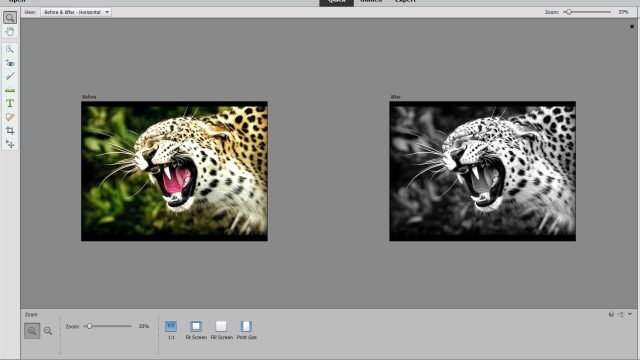
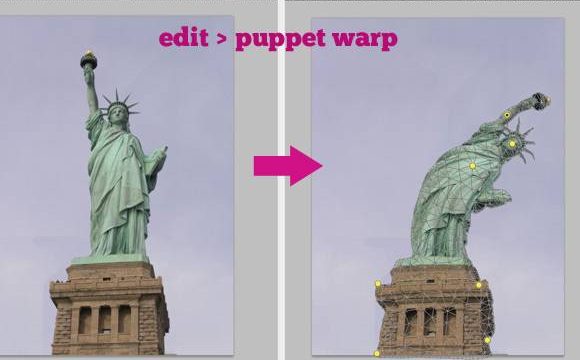
That is why Photoshop Elements was born – a compact version of Photoshop with tools and operations that are simpler than the main version but deliver results that are just as impressive. While many “hardcore” users still prefer the original Photoshop, partly out of habit and partly because it gives more freedom than the limited tools of the Elements version, in reality Elements is being updated with more and more fun features. New features added to Elements include automatically turning photos into watercolor paintings, automatically creating double exposure effects or applying filters. Now, with the support of Adobe Sensei, the company’s artificial intelligence and machine learning platform, Photoshop Elements will get smarter features, such as automatically “opening the eyes” of the subject.

There is a feature that automatically selects the subject to remove the background. Users just select the area around the subject they want to cut out, and the AI algorithm will then analyze the object’s edges to cut it out. And one of the most interesting features of Photoshop Elements 2018 is rescuing photos where someone’s eyes are closed. Called Open Closed Eyes, this feature basically automatically takes another eye sample that the user provides beforehand to replace the closed eyes. So the user still first has to select the face area of the subject from other photos where their eyes are open, then also select the face area in the photo with closed eyes, and the software takes care of the rest to rescue the photo (based on information such as the time of day, lighting conditions,…)

Have you ever taken a photo with the composition, lighting and colors just right, only to throw it away in the end because someone in it had their eyes closed? In the past we had to take the eyes from another photo and paste them in, but soon, in Photoshop Elements 2018, the software will automatically detect, match and “open the eyes” of the subject through a feature called Open Closed Eyes.

Sharing computer, Windows and software tips. If you have a question, leave a comment below.