
👁 2 views
[
Table of contents 4 items
Create a Boot Option Without a USB Drive, UEFI – Legacy, Alongside Windows
Download Anhdv Boot 2020: Link Download
Download EasyBCD – Set up and edit the boot menu: Here
After downloading the Anhdv_boot_2018.iso file, we Mount it. If you use Win 7, download UltraISO here
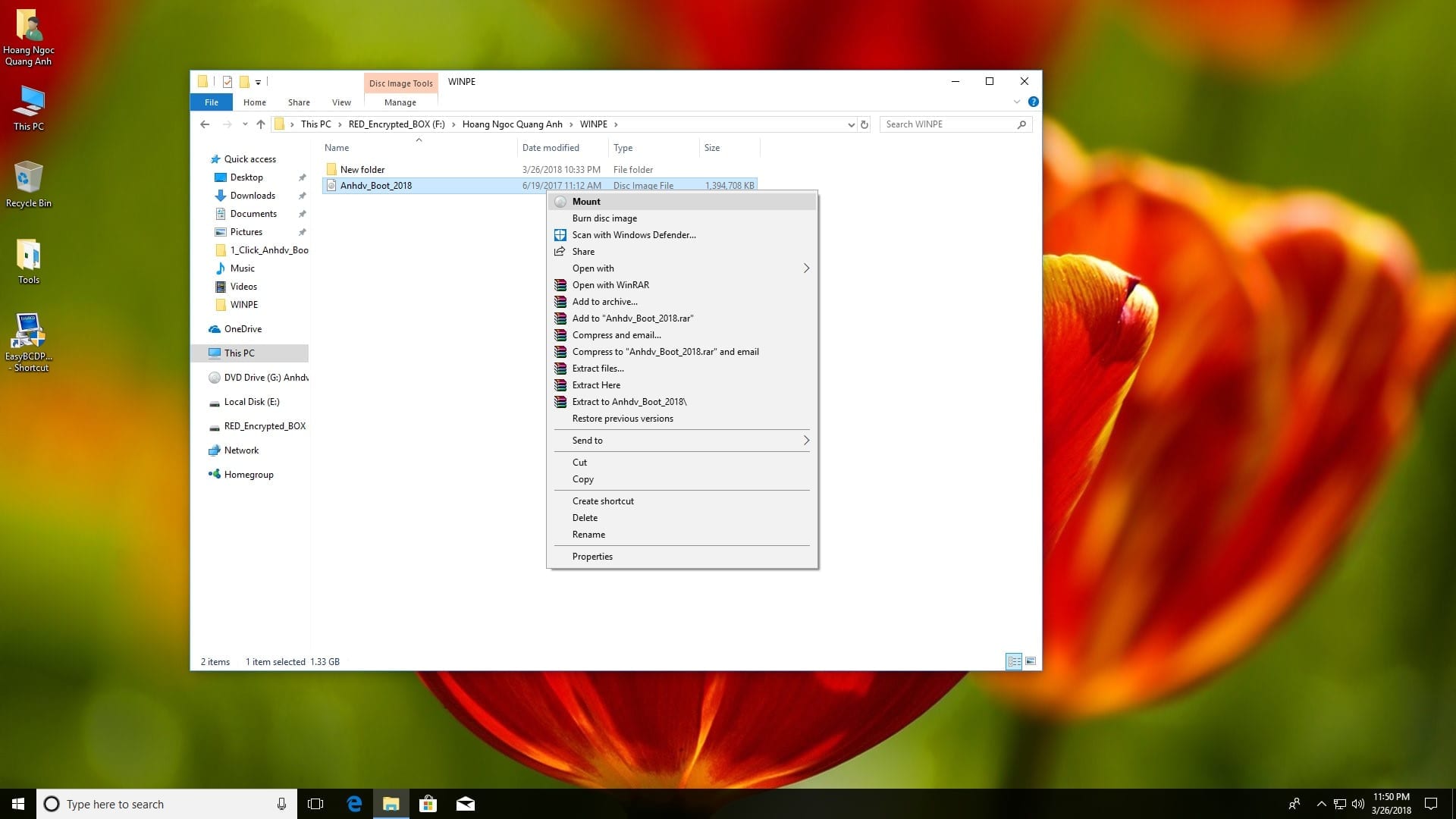
After mounting, create a WinPE folder (or any other name) on a drive in your computer. Then copy all the files you just mounted into the folder you created

Then open EasyBCD, which you downloaded above, and choose Add New Entry > under Portable/External Media, choose WinPE > Path: browse to the folder you created > open the Wim folder and choose the WinPE file you need, or you can add all of them. Here I will choose W10pe64.wim


Then click Add Entry to add it to the Boot Menu

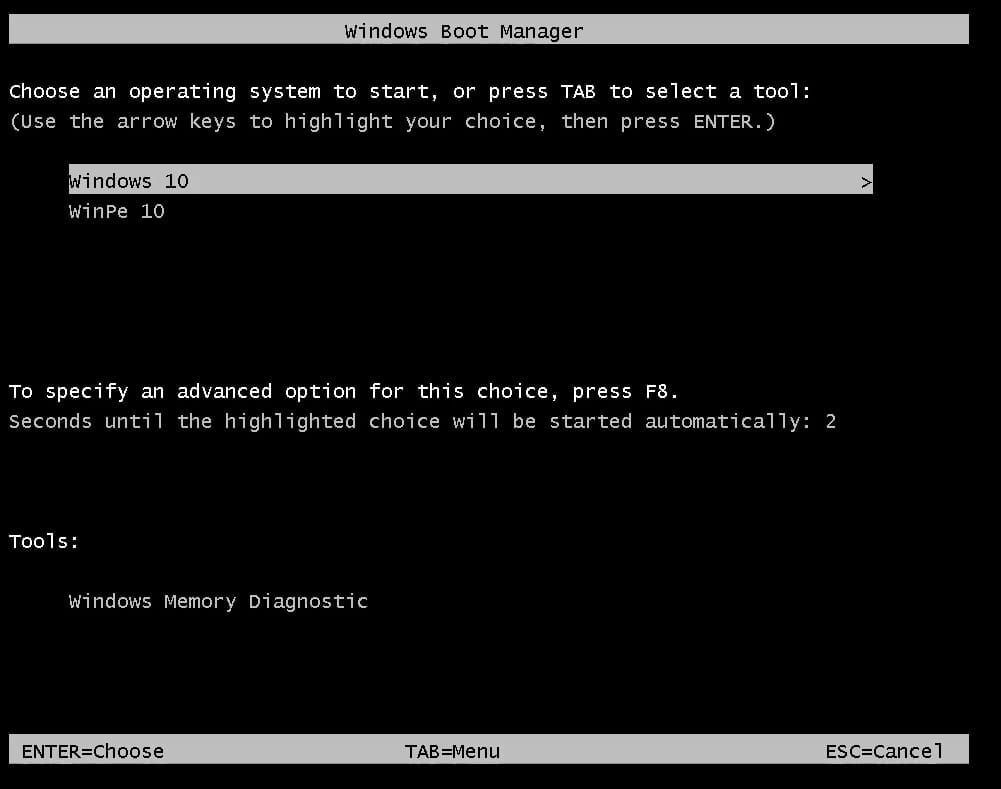
Under Edit Boot Menu, look at Count down from (Time out) and adjust the timeout for the Boot Menu (or leave it at the default), then click Save Settings and Restart to check the result

This is the result. Select the WinPe 10 entry and press Enter to check the result
Video Tutorial

Sharing computer, Windows and software tips. If you have a question, leave a comment below.


